LVZ/LVL Questions - MPEG vs PNG Chambahs - Wed Jul 06, 2005 6:05 pm Post subject: MPEG vs PNG
I have an mpeg that i would like to put into a lvz, but the problem is, how would i go about doing it? LVZ contain image files such as jpg, png, bmp, ect, and an .ini file that lets you set the frames, speed, and ect. What do i do if i already have the MPEG animation? Alot of people told me i would have to rip the animation by each frame, and i have no idea how to do that, help please?
Mr Ekted - Wed Jul 06, 2005 6:15 pm Post subject:
Cont does not support MPEG nor animated GIF.
Chambahs - Wed Jul 06, 2005 7:10 pm Post subject:
i know that ekted, so how can i do this? catid told me to rip each frame, but i dont know how
SuSE - Wed Jul 06, 2005 9:35 pm Post subject:
Use Flash or CinePaint or MainActor or one of the other billion editors there are out there.
D1st0rt - Wed Jul 06, 2005 11:13 pm Post subject:
This lvz is animated
Oer The Dragon - Thu Jul 07, 2005 3:18 am Post subject:
but in continuum you have to put the images/frames beside eachother in one picture to make it an animation
Chambahs - Thu Jul 07, 2005 10:45 am Post subject:
D1, i know thats an animated lvz, but in the INI you wrote the frames the speed ect. and that image file was a bmp, mine is an mpeg, it plays in winamp or media players, here ill add the attachment for it
if someone can strip the mpeg and get me .png files of all the frames, it would be heaven
EDIT: Cant add mpeg's, but here is the link to where i got it from...
http://www.hash.com/users/weevil/Mine GO BOOM - Thu Jul 07, 2005 12:44 pm Post subject:
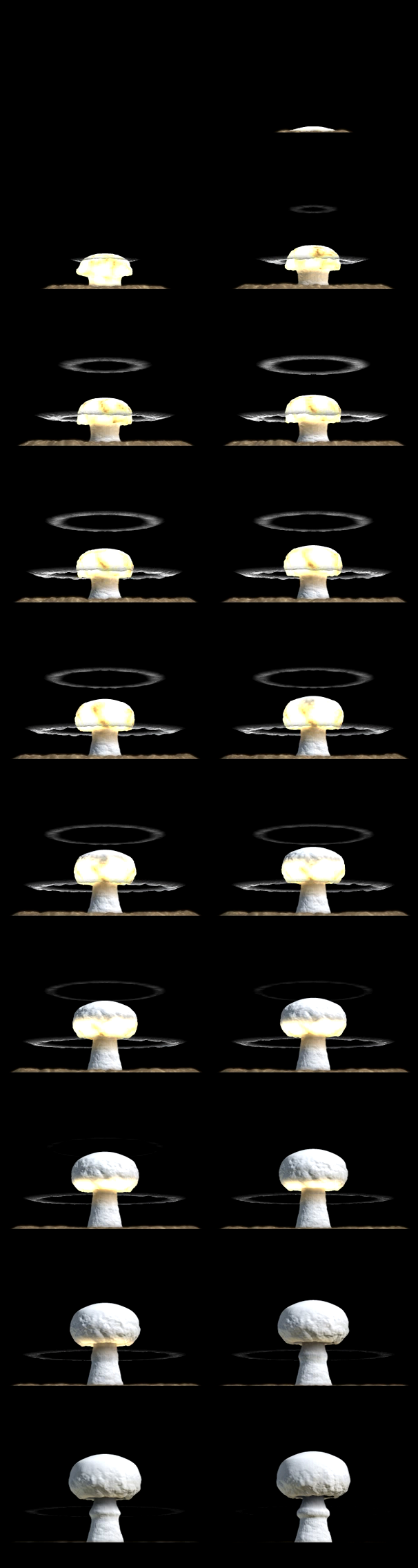
To create this image, I just used Virtual Dub to extra the whole movie into a bunch of frames. Then I used montage to combind them together.
If I really wanted to, I could have just done it completely from the command line in Linux using mplayer to save the frames as images, and could have framestep it nicely too so you could get X images per second instead of all of them.
If you use cygwin at all, you could use montage on your Windows machine then. The exact command I use was:
First image: removed due to it being huge and just a waste of space.
Second image, using mplayer only to framestep, as Continuum doesn't need full FPS, as I scaled it down a bit:
Chambahs - Thu Jul 07, 2005 7:57 pm Post subject:
MGB i think i love you
EDIT: Just noticed you took away my sig....(cries) why? it was in the limit
OutlawGene - Sat Aug 13, 2005 2:50 am Post subject:
In the program clit when you import your lvz graphic it asks you if you want it as an image or animation you could use this way.
Bak - Sat Aug 13, 2005 7:24 am Post subject:
It assumes you already have an animation image like the one mgb posted. If you select animation it will ask you how many x frames and how many y frames are in your picture. Something like an MPEG wouldn't import.